


TL;DR
The acronym ‘PPI’ commonly stands for Pixels Per Inch, a crucial measurement of pixel density that determines the quality of digital images and displays. A higher PPI ensures that visual specifications for clarity and sharpness are met, resulting in crisp text and detailed graphics. Understanding and correctly setting the PPI is essential for achieving professional results in both on-screen and printed projects.
Decoding the Acronym: What Does ‘PPI’ Actually Stand For?
The term ‘PPI’ can be a source of confusion because it represents different concepts across various industries. While it most often refers to digital image resolution, its meaning can change dramatically depending on the context. Clarifying this ambiguity is the first step to ensuring your specifications are understood and met correctly. Each definition serves a critical function in its respective field, from graphic design to manufacturing and automotive sales.
The three most common interpretations of PPI are:
- Pixels Per Inch: This is the most prevalent meaning, especially in technology and design. It measures the density of pixels on a digital screen or in a digital image file. As explained in a guide by Lenovo, a higher PPI value means more pixels are packed into each inch, resulting in sharper, clearer, and smoother visuals.
- Pre-Production Inspection: In the world of manufacturing and quality control, PPI stands for Pre-Production Inspection. This is a critical quality assurance step where raw materials and components are checked against specifications before mass production begins. For businesses sourcing products, a trusted partner on the ground is invaluable. Companies that specialize in quality control, such as those offering comprehensive factory audits and pre-shipment inspections, act as your eyes in the factory to ensure products meet exact specifications before shipment.
- Pre-Purchase Inspection: In the automotive industry, a PPI is a Pre-Purchase Inspection. According to J.D. Power, this is a detailed examination of a used vehicle by a qualified mechanic before a sale is finalized. It assesses the condition of the engine, transmission, and other critical components to uncover potential issues, giving the buyer leverage and peace of mind.
The Core Concept: A Deep Dive into Pixels Per Inch (PPI)
At its core, Pixels Per Inch (PPI) is a measurement of density. Imagine a mosaic made of tiny tiles; the more tiles you fit into a small area, the more detailed and defined the picture becomes. Digital images work the same way. Each image is made up of thousands or millions of tiny squares of color called pixels. PPI tells you how many of these pixels are packed into a single inch of a digital display or image file.
A high PPI is what makes modern smartphone screens and high-definition monitors look so crisp. When the pixel density is high, the individual pixels become indistinguishable to the naked eye, creating the illusion of a continuous, smooth image. This is why text appears sharp and photos look vibrant and detailed. Conversely, a low PPI means fewer pixels are spread out over the same area, which can make images appear blurry, blocky, or ‘pixelated,’ especially when enlarged.
The impact of PPI is most noticeable on high-resolution displays, such as the 4K and 8K screens that are becoming increasingly common. These displays have a massive number of total pixels, and a high PPI ensures that this potential for detail is fully realized. For designers and photographers, understanding PPI is not just technical jargon—it’s fundamental to controlling the final quality of their work and ensuring it looks as intended on every device.
PPI vs. DPI: Clarifying the Most Common Point of Confusion
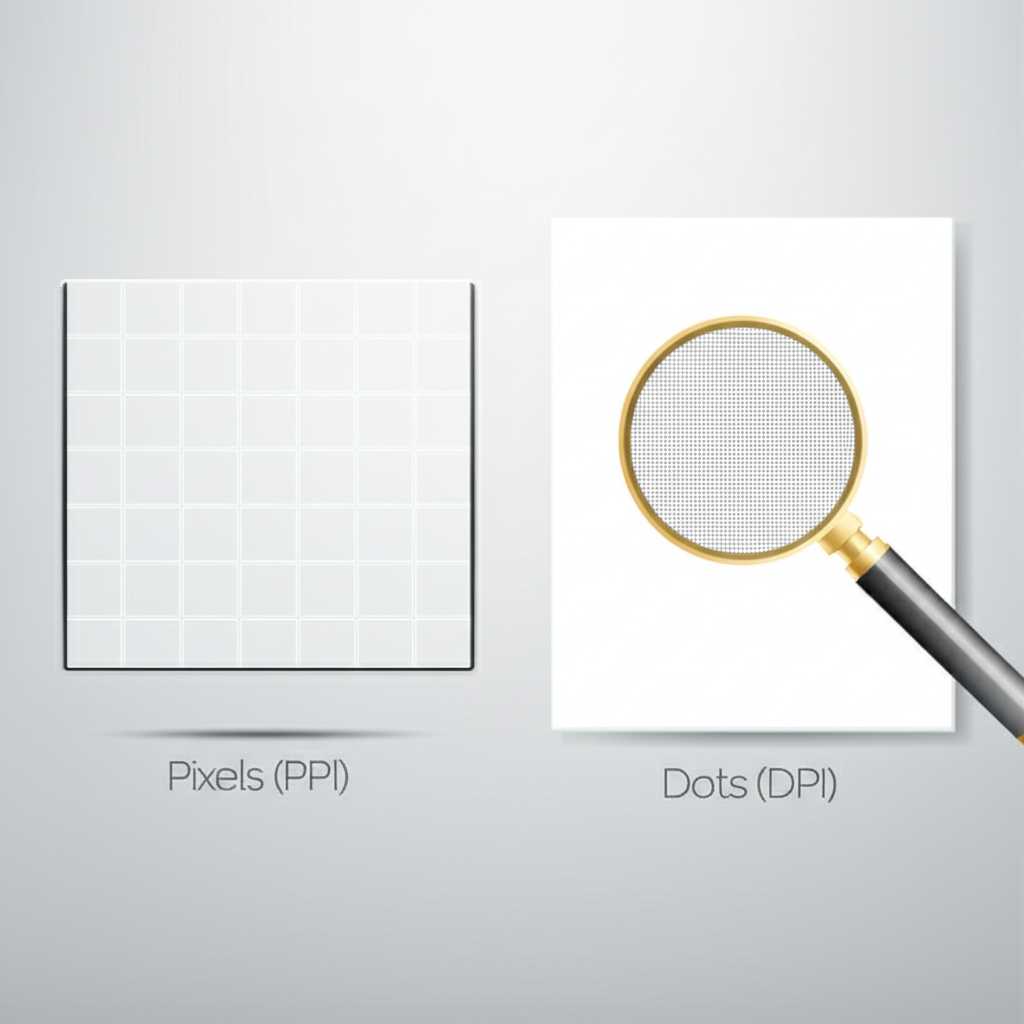
One of the most frequent mix-ups in digital design and printing is the distinction between PPI (Pixels Per Inch) and DPI (Dots Per Inch). While often used interchangeably, they refer to two separate things. PPI is a specification for digital files viewed on screens, while DPI is a measurement relevant to physical printers. Getting this right is essential for translating a design from screen to paper accurately.
PPI, as we’ve discussed, is all about the pixels in a digital file. It dictates the resolution and potential detail of the image itself. DPI, on the other hand, refers to the physical dots of ink a printer lays down on a piece of paper. A printer creates colors by mixing tiny dots of cyan, magenta, yellow, and black ink. As detailed by printing experts at Mixam, a higher DPI allows the printer to create finer details and smoother color gradients. The key takeaway is that you control the PPI of your digital file, while the printer’s capabilities determine the DPI of the final print.
To put it simply, a high-PPI image provides the printer with more information to work with, allowing it to produce a high-DPI print. You can’t fix a low-resolution (low-PPI) image by printing it at a high DPI; the print will still look blurry because the original file lacked sufficient detail. The table below breaks down the key differences:
| Attribute | PPI (Pixels Per Inch) | DPI (Dots Per Inch) |
|---|---|---|
| Primary Use | Digital screens (monitors, phones) and digital image files | Physical printed materials (books, photos, flyers) |
| What It Measures | The density of pixels in a digital image | The density of ink dots a printer can place on paper |
| Where It Matters | In design software like Photoshop when setting up a file | In the physical printer’s hardware and settings |
How Higher PPI Ensures Your Specifications Are Met
Connecting the technical concept of PPI back to the goal of meeting specifications is where its practical value becomes clear. When you create a design, you have a specific quality standard in mind—sharp text, clear images, and professional-looking results. Setting the correct PPI is the primary way to specify and achieve that level of quality. It translates your abstract goal of ‘high quality’ into a concrete, measurable setting that software and hardware can understand.
Different applications have different quality requirements, which translate to standard PPI specifications. For digital use, such as images for websites or social media, a PPI of 72 or 96 is often used to balance image quality with file size, not because of a limitation in screen technology. Setting it higher would only increase the file size without any visible benefit. However, for professional printing, the industry standard is 300 PPI, as noted by creative platforms like Shutterstock. This higher density ensures that when the image is printed, there is enough pixel information to create sharp lines and smooth tones without blurriness.
Think of it like a blueprint. If you specify a 300 PPI resolution for a business card design, you are providing the printer with a detailed set of instructions. This specification ensures the final printed product will be crisp and legible. If you were to use a 72 PPI image instead, you would be providing a vague, low-detail blueprint, and the result would be a blurry, unprofessional card. By understanding and using the correct PPI for the intended medium, you are ensuring your quality specifications are not just hoped for, but are built into the very foundation of the file.

Frequently Asked Questions
1. Does more PPI mean better quality?
Generally, yes. A higher PPI means a higher pixel density, which results in a sharper, more detailed image. However, the perceived quality also depends on the viewing context. For a billboard viewed from a distance, a lower PPI is acceptable. For a glossy photograph held in your hands, a high PPI is essential for it to look crisp and professional. It’s about matching the PPI to the intended use.
2. What is PPI in information technology?
In information technology, PPI is the standard measure of pixel density for digital displays like computer monitors, tablets, and smartphone screens. It defines the clarity and sharpness of the visuals on a screen. A higher PPI is a key selling point for premium devices, as it leads to a more pleasant and detailed viewing experience for everything from reading text to watching videos.
3. What is PPI in quality?
In the context of quality assurance for physical goods, PPI can refer to a Pre-Production Inspection. It’s a quality control process performed before manufacturing begins to verify that the raw materials and components meet the required standards and specifications. This inspection helps prevent widespread issues and ensures the final product will be built correctly from the start.

